Signing-up
Create your account and open the TapirFlow simulator.
This first step prepares your account so you can access TapirFlow and begin the simulation tutorials.
1. Create and validate your account
To access TapirFlow, create an account on the sign-up page. Enter the required information using a valid e-mail address. You must validate the account by opening the validation e-mail and clicking the button or link in the message body. If the e-mail does not arrive, check your spam folder.
Sign-up and login are also available via your Google account.
After your account is validated, sign in with your e-mail and password.
2. Open the simulator
In the navbar, click on Username, then on Simulator. TapirFlow will open in a new tab and display the simulator home layout shown below.
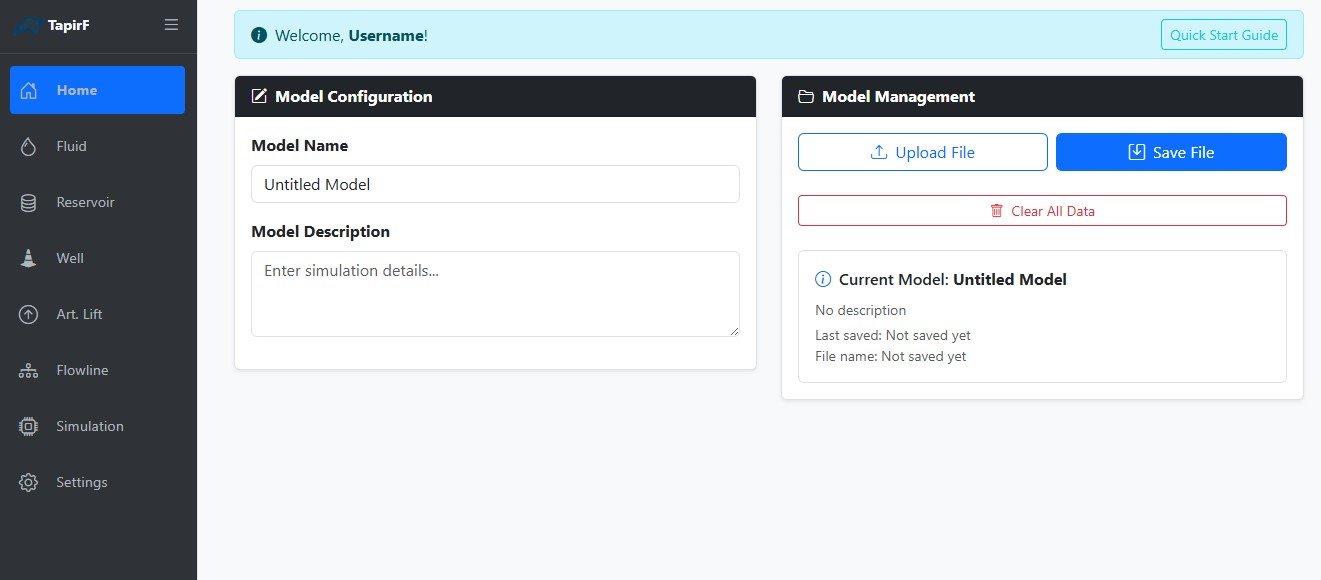
3. Review the Quick Start Guide
Select Quick Start Guide to review a brief description of each page available in the left sidebar. You can select it again to hide the guide.